Skip to content
MyErrorFix
  • iPhone Camera Not Working? 10 Quick Fixes
    iPhone Fixes

    iPhone Camera Not Working? 10 Quick Fixes

    ByMyErrorFix February 21, 2026April 3, 2026

    Quick Fix Force close the Camera app and reopen it. If you see a black screen, cover the camera lens for a few seconds then uncover – this can reset a stuck sensor. If that doesn’t work, restart your iPhone. Understanding iPhone Camera Problems When the iPhone camera stops working, you might see a black…

    Read More iPhone Camera Not Working? 10 Quick FixesContinue

  • Computer Running Slow? 10 Quick Fixes
    Windows Errors

    Computer Running Slow? 10 Quick Fixes

    ByMyErrorFix February 21, 2026April 3, 2026

    Quick Fix Restart your computer – this clears memory and closes background processes. Then open Task Manager (Ctrl + Shift + Esc) and end any programs using high CPU or memory that you don’t need. Understanding Why Computers Slow Down A slow computer can make every task frustrating. Common causes include too many startup programs,…

    Read More Computer Running Slow? 10 Quick FixesContinue

  • AirPods Sound Muffled? 10 Easy Fixes
    iPhone Fixes

    AirPods Sound Muffled? 10 Easy Fixes

    ByMyErrorFix February 21, 2026April 3, 2026

    Quick Fix Clean your AirPods speaker grilles with a dry, soft-bristled brush to remove earwax and debris. This is the most common cause of muffled sound. Gently brush the speaker mesh until clear. Understanding Muffled AirPods Sound When AirPods sound muffled, music seems distant, voices are unclear, or bass is missing. This can affect one…

    Read More AirPods Sound Muffled? 10 Easy FixesContinue

  • Netflix Not Working on Smart TV? 10 Quick Fixes
    Smart TV Troubleshooting

    Netflix Not Working on Smart TV? 10 Quick Fixes

    ByMyErrorFix February 21, 2026April 3, 2026

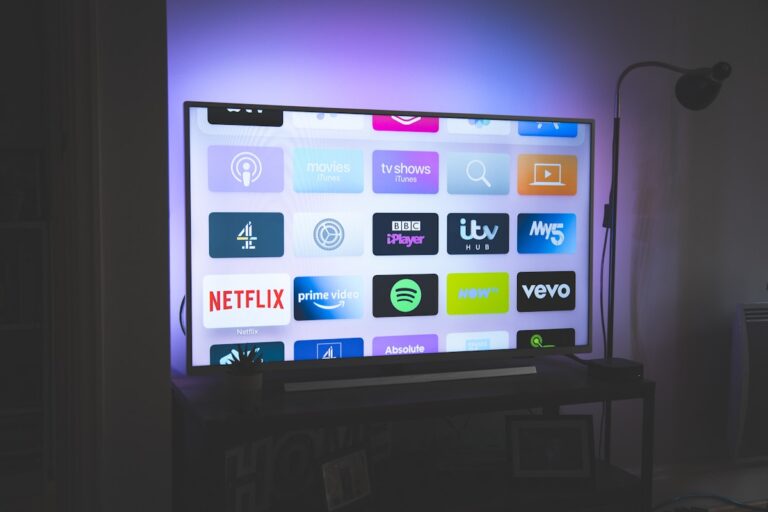
    Quick Fix Unplug your Smart TV from power for 60 seconds, then plug it back in. While waiting, also restart your WiFi router. This combination resolves most Netflix streaming issues on Smart TVs. Understanding Netflix Smart TV Problems When Netflix won’t work on your Smart TV, you might see error codes, endless loading, the app…

    Read More Netflix Not Working on Smart TV? 10 Quick FixesContinue

  • Steam Not Opening? 10 Working Fixes
    App Software Fixes

    Steam Not Opening? 10 Working Fixes

    ByMyErrorFix February 20, 2026April 3, 2026

    Quick Fix Open Task Manager (Ctrl + Shift + Esc), find any Steam processes, right-click and End Task on all of them. Then try opening Steam again. Steam often runs in the background and gets stuck. Understanding Steam Launch Problems When Steam won’t open, you might click the icon and nothing happens, see a brief…

    Read More Steam Not Opening? 10 Working FixesContinue

  • Facebook Not Loading? 10 Quick Fixes
    App Software Fixes

    Facebook Not Loading? 10 Quick Fixes

    ByMyErrorFix February 20, 2026April 3, 2026

    Quick Fix Clear your browser cache or force close the Facebook app and reopen it. If using the app, try switching from WiFi to mobile data or vice versa. Most Facebook loading issues are temporary glitches fixed by refreshing. Understanding Facebook Loading Problems When Facebook won’t load, you might see a blank white page, endless…

    Read More Facebook Not Loading? 10 Quick FixesContinue

  • PS5 Not Turning On? 10 Proven Fixes
    Gaming Consoles

    PS5 Not Turning On? 10 Proven Fixes

    ByMyErrorFix February 20, 2026April 3, 2026

    Quick Fix Unplug your PS5 from power completely, wait 60 seconds, then plug it back in and press the power button on the console itself (not the controller). This power cycle resolves most startup issues. Understanding PS5 Power Problems When your PS5 won’t turn on, you might see no response at all, a brief beep…

    Read More PS5 Not Turning On? 10 Proven FixesContinue

  • iPad Not Charging? 10 Quick Fixes That Work
    iPhone Fixes

    iPad Not Charging? 10 Quick Fixes That Work

    ByMyErrorFix February 20, 2026April 3, 2026

    Quick Fix Clean the Lightning or USB-C port on your iPad using a wooden toothpick to remove lint and debris. Then try a different charging cable and power adapter. Dirty charging ports are the most common reason iPads won’t charge. Understanding iPad Charging Problems When your iPad won’t charge, you might see no response when…

    Read More iPad Not Charging? 10 Quick Fixes That WorkContinue

  • Roku TV Remote Not Working? 10 Easy Fixes
    Smart TV Troubleshooting

    Roku TV Remote Not Working? 10 Easy Fixes

    ByMyErrorFix February 18, 2026April 3, 2026

    Quick Fix Remove the batteries from your Roku remote, wait 10 seconds, and reinsert them. If that doesn’t work, try new batteries – weak batteries are the most common cause of Roku remote problems. Understanding Roku Remote Issues Roku remotes come in two types: simple IR (infrared) remotes that require line-of-sight, and enhanced remotes with…

    Read More Roku TV Remote Not Working? 10 Easy FixesContinue

  • HP Printer Not Printing? 10 Quick Fixes
    Printers

    HP Printer Not Printing? 10 Quick Fixes

    ByMyErrorFix February 18, 2026April 3, 2026

    Quick Fix Turn your HP printer off, wait 30 seconds, and turn it back on. Then clear the print queue by going to Settings > Devices > Printers & Scanners > your printer > Open Queue > Cancel All Documents. Try printing again. Understanding HP Printer Problems When your HP printer won’t print, jobs might…

    Read More HP Printer Not Printing? 10 Quick FixesContinue

Page navigation

Previous PagePrevious 1 2 3 4 5 6 … 17 Next PageNext

© 2026 MyErrorFix - WordPress Theme by Kadence WP

  • Home
  • Windows Errors
  • Mac Issues
  • iPhone Fixes
  • Android Solutions
  • Gaming Consoles
  • App & Software
  • Smart TV
  • Network & WiFi
  • Printers
We use cookies to ensure that we give you the best experience on our website. If you continue to use this site we will assume that you are happy with it.