iPhone Battery Draining Fast? 10 Quick Fixes
Quick Fix
Check which apps drain battery most in Settings > Battery. Disable Background App Refresh for power-hungry apps. Turn on Low Power Mode by going to Settings > Battery > Low Power Mode, or ask Siri to enable it.
Understanding the iPhone Battery Draining Fast Issue
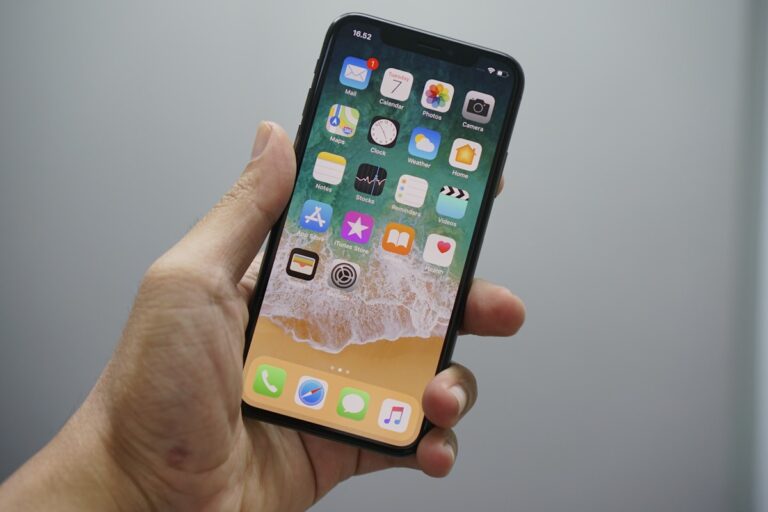
Rapid battery drain on iPhone can turn a full charge into empty within hours. Normal iPhone usage should last all day, so if you’re charging multiple times daily, something is wrong.
Common causes include rogue apps running in the background, poor cellular signal forcing the radio to work harder, outdated iOS with battery bugs, or a degraded battery that needs replacement. Sometimes a recent app update is the culprit.
This guide helps identify and fix battery drain issues on all iPhone models running iOS 15 and later.
Method 1: Check Battery Usage by App
- Open Settings > Battery
- Scroll down to see battery usage by app
- Tap Show Activity to see screen time vs background time
- Identify apps with high background activity
- Consider removing or restricting these apps
Method 2: Enable Low Power Mode
- Go to Settings > Battery
- Toggle on Low Power Mode
- This reduces background activity, mail fetch, and visual effects
- Your iPhone automatically suggests this at 20% battery
- Add it to Control Center for quick access
Method 3: Disable Background App Refresh
- Open Settings > General > Background App Refresh
- You can turn it off entirely or for specific apps
- Disable it for apps that don’t need constant updates
- Keep it enabled for messaging and email apps if needed
- This significantly reduces background battery usage
Method 4: Reduce Location Services
- Go to Settings > Privacy & Security > Location Services
- Review each app’s location access
- Change from “Always” to “While Using” for most apps
- Disable for apps that don’t need location
- Scroll down and disable unnecessary System Services
Method 5: Turn Off Push Email
- Open Settings > Mail > Accounts
- Tap Fetch New Data
- Turn off Push
- Set Fetch to every 30 minutes or hourly instead of every 15 minutes
- Or select Manually for maximum battery savings
Method 6: Update iOS
- Go to Settings > General > Software Update
- Install any available updates
- Apple frequently releases battery optimization fixes
- Keep your iPhone plugged in during the update
- Battery may drain initially after update while reindexing
Method 7: Reset All Settings
- Go to Settings > General > Transfer or Reset iPhone
- Tap Reset > Reset All Settings
- This doesn’t delete data but resets all preferences
- You’ll need to reconfigure Wi-Fi, Bluetooth, and other settings
- This can fix battery issues caused by corrupted settings
Method 8: Check Battery Health
- Open Settings > Battery > Battery Health & Charging
- Check Maximum Capacity percentage
- If below 80%, battery replacement is recommended
- “Peak Performance Capability” shows if throttling is active
- Contact Apple Support for battery replacement options
Preventing Future Issues
- Avoid extreme temperatures (hot or cold)
- Don’t let battery drop to 0% regularly
- Use Apple-certified chargers and cables
- Enable Optimized Battery Charging in Settings
- Update apps regularly for battery optimizations
- Restart your iPhone weekly to clear memory
FAQ
Why does my iPhone battery drain overnight?
Background app refresh, push notifications, and poor Wi-Fi/cellular signal can drain battery while sleeping. Enable Airplane Mode at night or use Sleep Focus mode.
Does dark mode save battery?
Yes, on iPhones with OLED screens (iPhone X and later). Dark pixels use less power. Enable it in Settings > Display & Brightness.
Can a specific app drain my battery?
Yes, check Settings > Battery to see which apps use the most power. Social media and streaming apps are common culprits.
Does closing apps save battery?
No, force-closing apps can actually use more battery because iOS must reload them completely when reopened. Let iOS manage apps automatically.
How long should iPhone battery last?
With normal use, iPhone battery should last all day (16-20 hours). If you need to charge multiple times daily, there’s likely an issue.
When should I replace my iPhone battery?
When Maximum Capacity drops below 80% or you notice significant performance reduction. Apple recommends replacement at this point.