Alexa Not Responding? 10 Quick Fixes
Quick Fix
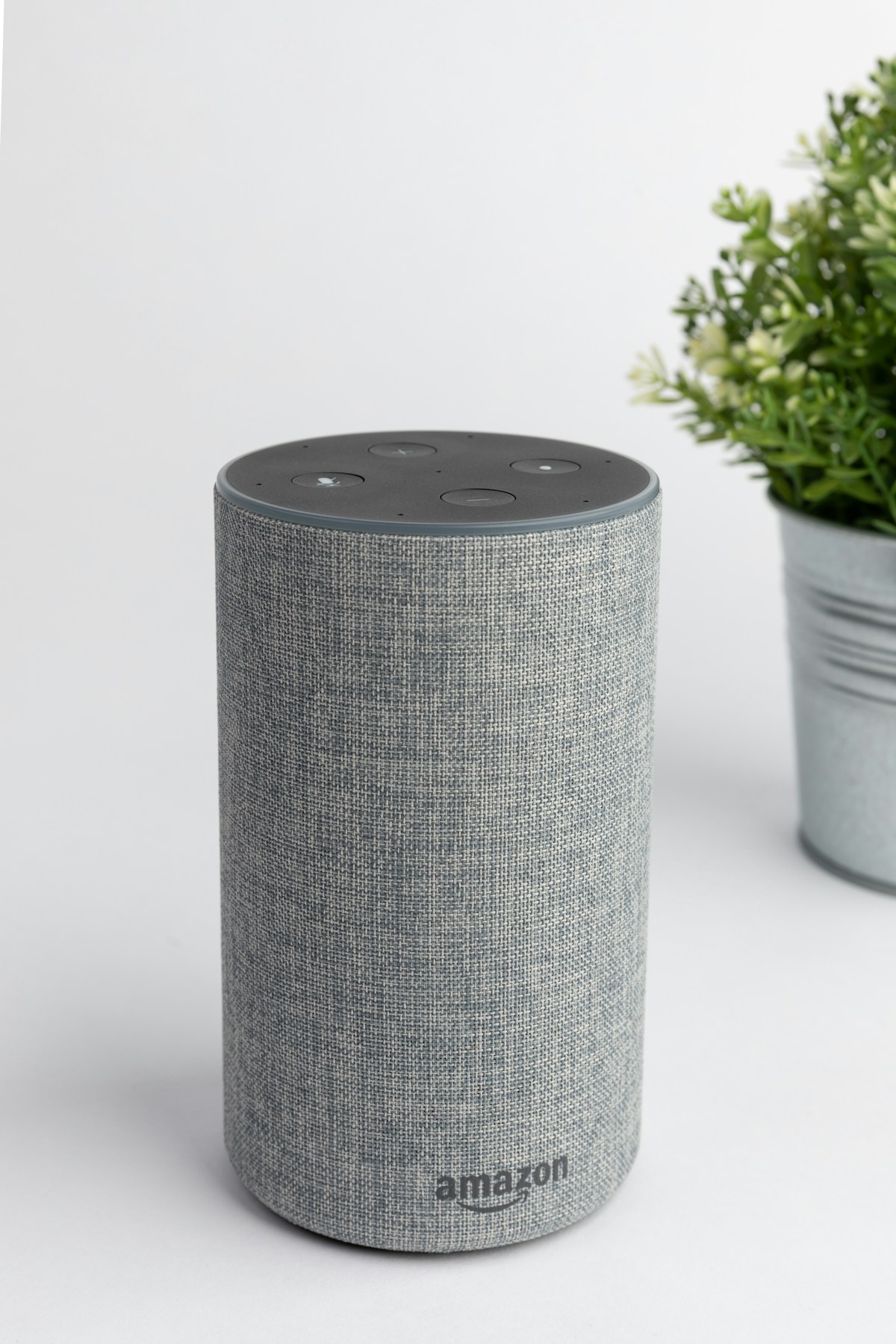
Check if the microphone is muted – look for a red light ring or red indicator on your Echo device. Press the microphone button to unmute. If that’s not the issue, unplug your Echo for 30 seconds and plug it back in.
Understanding Alexa Response Problems
When Alexa doesn’t respond, your Echo device might not hear you, might not be connected to WiFi, or might have a software issue. You might see no lights when speaking, or Alexa might say “Sorry, I’m having trouble understanding right now.”
Most Alexa issues are related to WiFi connectivity, microphone settings, or temporary server problems on Amazon’s end. These are all fixable without replacing your device.
The light ring on your Echo provides clues: spinning blue means listening, red means muted, orange means connecting to WiFi.
Method 1: Check Microphone Mute
- Look at the top of your Echo device
- If the light ring is solid red, the microphone is muted
- Press the microphone button (with the mic icon)
- The red light should turn off
- Say “Alexa” and watch for the blue light
- If blue lights appear, Alexa is listening
Method 2: Restart Your Echo Device
- Unplug your Echo from power
- Wait 30 seconds
- Plug it back in
- Wait for the light ring to turn blue then off
- This takes 1-2 minutes
- Try saying “Alexa” once it’s ready
Method 3: Check WiFi Connection
- Look for a spinning orange light – this means WiFi issues
- Check if other devices have internet
- Restart your WiFi router
- In the Alexa app, go to Devices > your Echo
- Check WiFi Network status
- Try reconnecting to WiFi through the app
Method 4: Move Echo Away from Interference
- Move Echo away from walls and corners
- Keep it away from TVs, speakers, and microwaves
- Don’t place it inside a cabinet or shelf
- Background noise can prevent Alexa from hearing you
- Try speaking from different distances
- Some rooms have poor acoustics for voice commands
Method 5: Check Alexa App for Issues
- Open the Alexa app on your phone
- Tap Devices > Echo & Alexa
- Select your device
- Check if it shows as Online
- Look for any error messages
- Try sending a voice command through the app
Method 6: Change Wake Word
- Open the Alexa app
- Go to Devices > select your Echo
- Tap Wake Word
- Try a different wake word (Amazon, Echo, Computer)
- Save the change
- Test with the new wake word
- If it works, there may be ambient noise sounding like “Alexa”
Method 7: Update Echo Firmware
- Echo devices update automatically, but you can check
- Say “Alexa, check for software updates”
- Or in the app: Devices > Echo > About > check software version
- Keep Echo plugged in overnight for updates to install
- Updates happen automatically when device is idle
Method 8: Factory Reset Echo
- This erases all settings – use as last resort
- Echo (4th gen): Hold the Action button for 20 seconds
- Echo Dot: Hold the Action button for 25 seconds
- Wait for orange light ring, then the light turns off
- Set up the device again using the Alexa app
- Reconnect to WiFi and sign in
Preventing Future Alexa Issues
- Keep your Echo in an open area with good acoustics
- Ensure stable WiFi coverage where the device is located
- Don’t mute the microphone unless necessary
- Keep the Alexa app updated on your phone
- Restart Echo monthly as preventive maintenance
FAQ
Why does Alexa light up but not respond?
If the blue light appears but Alexa doesn’t respond, there may be a WiFi issue preventing her from reaching Amazon’s servers, or Amazon’s servers may be experiencing problems. Check your internet connection.
Why does Alexa say she’s having trouble?
This usually indicates a WiFi or server issue. Check if other internet services work. If your internet is fine, Amazon’s Alexa servers may be temporarily down – try again in a few minutes.
Can Alexa hear me from another room?
Echo devices work best within the same room. They can sometimes hear from adjacent rooms, but walls significantly reduce microphone sensitivity. Consider multiple Echo devices for whole-home coverage.
Why does Alexa respond to the TV but not me?
TV audio is often clearer than human speech at a distance. Try speaking louder, moving closer, or adjusting your Echo’s position. You can also lower your TV volume when giving commands.
Why is my Echo light spinning orange?
Orange spinning light means your Echo is trying to connect to WiFi. Check your router, move Echo closer to the router, or reconnect WiFi through the Alexa app.
Do I need internet for Alexa to work?
Yes, Alexa requires an active internet connection. All voice processing happens on Amazon’s servers. Without internet, Alexa can’t respond to any commands.