AirPods Sound Muffled? 10 Easy Fixes
Quick Fix
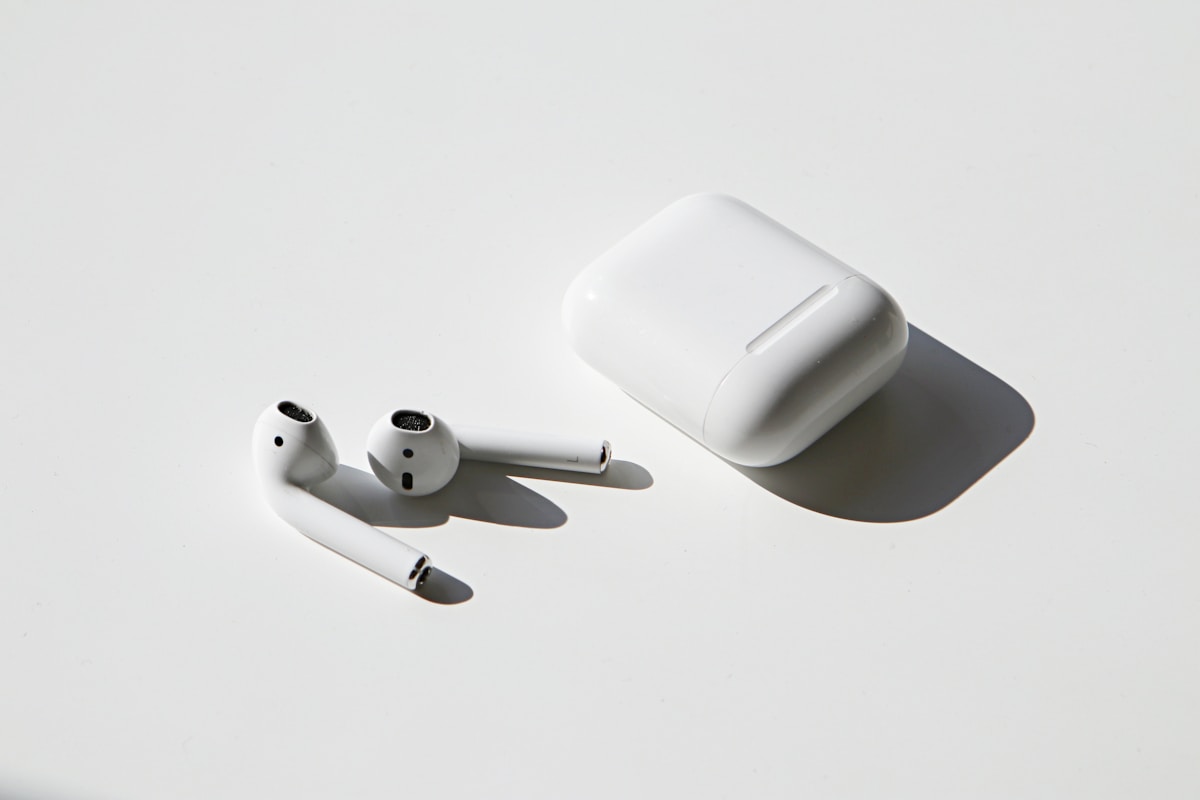
Clean your AirPods speaker grilles with a dry, soft-bristled brush to remove earwax and debris. This is the most common cause of muffled sound. Gently brush the speaker mesh until clear.
Understanding Muffled AirPods Sound
When AirPods sound muffled, music seems distant, voices are unclear, or bass is missing. This can affect one or both AirPods and usually worsens over time if the cause isn’t addressed.
The most common cause is earwax buildup blocking the speaker grilles. AirPods sit in your ear canal where wax naturally accumulates. Other causes include software glitches, Bluetooth issues, or audio settings.
Regular cleaning prevents most sound quality issues and extends the life of your AirPods.
Method 1: Clean Speaker Grilles
- Use a dry, soft-bristled brush (like a clean toothbrush)
- Gently brush the speaker mesh on each AirPod
- Brush downward so debris falls out, not in
- Use a dry cotton swab for edges
- Don’t use water, alcohol, or sharp objects
- Clean the microphone meshes too
- Test sound after cleaning
Method 2: Clean Ear Tips (AirPods Pro)
- Remove the silicone ear tips by pulling firmly
- Rinse ear tips with water (not the AirPods themselves)
- Wipe with a dry lint-free cloth
- Let them dry completely
- Clean the mesh beneath where tips attach
- Reattach ear tips and test
Method 3: Reset AirPods
- Put AirPods in the charging case
- Close the lid and wait 30 seconds
- Open lid
- On iPhone, go to Settings > Bluetooth
- Tap the i next to your AirPods
- Tap Forget This Device
- With lid open, hold case button 15 seconds until light flashes
- Re-pair AirPods to your device
Method 4: Check Audio Balance
- Go to Settings > Accessibility > Audio/Visual
- Find the Balance slider
- Ensure it’s centered (not shifted left or right)
- If one AirPod sounds quieter, this may be why
- Center the slider and test
Method 5: Disable Low Power Mode
- Low Power Mode can affect Bluetooth performance
- Go to Settings > Battery
- Turn off Low Power Mode
- Test AirPods sound quality
- If this helps, charge your phone more often
Method 6: Turn Off Noise Cancellation Temporarily
- For AirPods Pro, go to Settings > Bluetooth
- Tap the i next to AirPods Pro
- Select Off instead of Noise Cancellation or Transparency
- Test if sound improves
- If it does, there may be a mesh blockage affecting ANC
- Clean the outer microphones
Method 7: Update AirPods Firmware
- Put AirPods in case with lid open
- Place near your iPhone
- Ensure iPhone is connected to WiFi
- Firmware updates automatically when conditions are met
- Keep AirPods charging near iPhone for 30 minutes
- Check firmware in Settings > Bluetooth > AirPods > i
Method 8: Try Different Ear Tips Size
- Wrong ear tip size affects seal and sound
- Go to Settings > Bluetooth > AirPods Pro
- Tap Ear Tip Fit Test
- Follow the test to check seal
- Try different sizes (small, medium, large)
- Good seal = better bass and clarity
Preventing Future Sound Issues
- Clean AirPods weekly with a dry brush
- Store in the case when not in use
- Don’t use AirPods during intense workouts (sweat damage)
- Avoid getting them wet
- Replace ear tips if they deteriorate
FAQ
Why does only one AirPod sound muffled?
One AirPod likely has more wax buildup than the other. We often insert one side more deeply or sleep on one side. Clean both, but focus on the muffled one.
Can I use alcohol to clean AirPods?
Apple advises against liquids. If you must, use a very slightly damp cloth (not wet) on external surfaces only. Never put liquid in the speaker grilles.
Why do my AirPods sound worse than before?
Gradual sound degradation is usually wax buildup. Occasional drops in quality can be Bluetooth interference or software bugs fixed by reconnecting or resetting.
Are muffled AirPods covered by warranty?
If cleaning doesn’t help and they’re under warranty, Apple may replace them. They’ll check for damage first. AppleCare+ covers more issues.
How often should I clean AirPods?
Clean weekly if you use them daily. Some people produce more earwax than others. If you notice sound degradation, clean immediately.
Can earwax permanently damage AirPods?
Yes, if left too long, earwax can clog the speakers beyond cleaning. Regular maintenance prevents permanent damage. If cleaning doesn’t restore sound, the speakers may be compromised.